Inverted Pendulum
by OpenAI
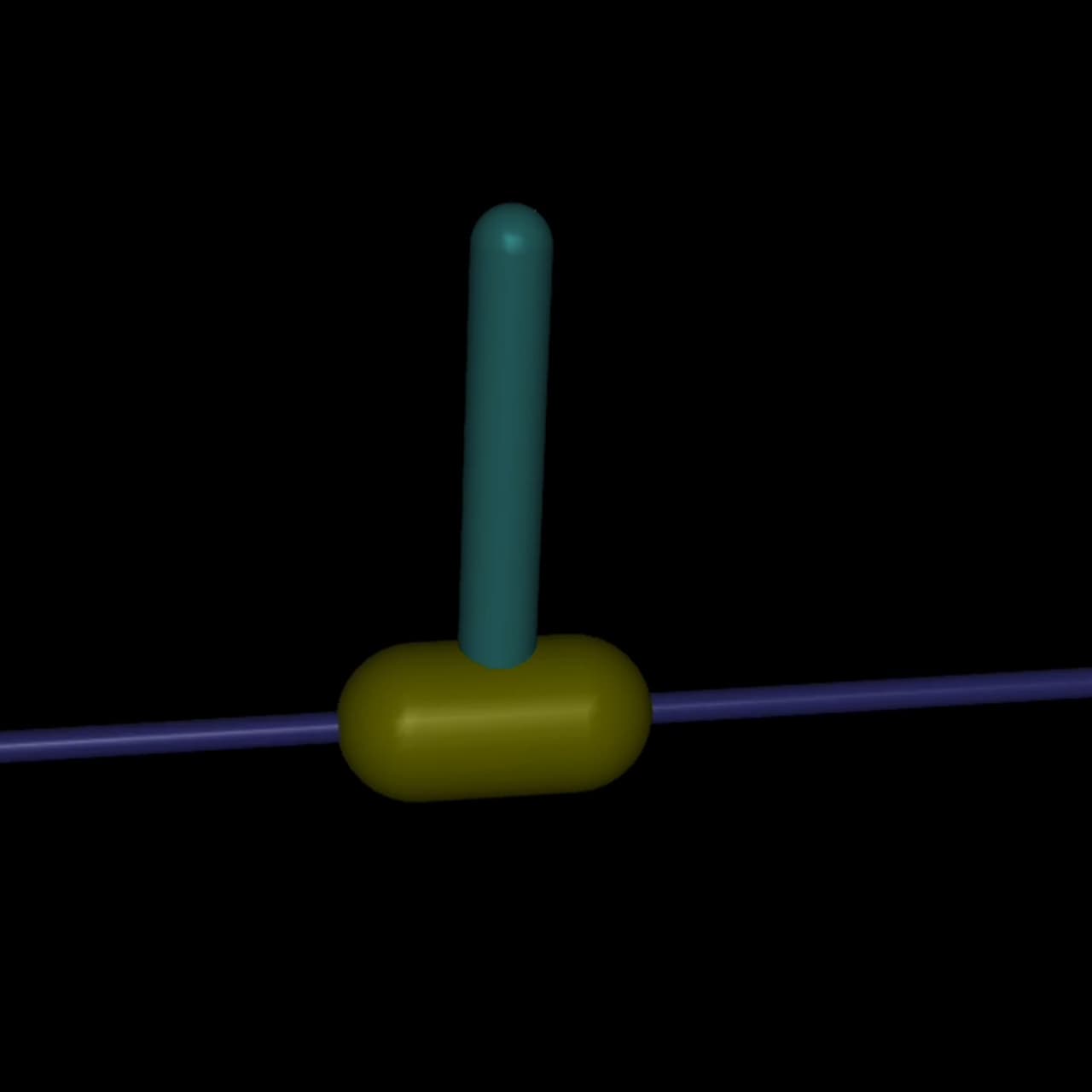
A classic control benchmark consisting of a cart that slides along a horizontal rail with a freely rotating pole (pendulum) attached at its top. The objective is to apply horizontal forces to the cart in order to keep the pole balanced upright. This is one of the canonical reinforcement learning and control tasks, widely used to evaluate balance, feedback control, and sensorimotor learning. Derived from the OpenAI Gym MuJoCo assets. License: MIT. See model/LICENSE.
Specifications
- Manufacturer
- OpenAI
- Type
- Classic Control
- Environment
- Simulated
- Category
- MuJoCo Physics Simulator
- Controller
- MuJoCo
- Sensors
- Joint positionJoint velocityCart positionPole angleIMUGyroscopeAccelerometer
- Actuators
- Torque control
- Connectivity
- ZMQLocal
Getting started
MuJoCo Inverted Pendulum Integration Guide
Overview
The MuJoCo Inverted Pendulum is a classic control benchmark: a cart is free to slide along a horizontal rail, with a freely rotating pole hinged at its top. The control task is to apply horizontal forces to the cart to keep the pole balanced upright. It is a canonical testbed for balance, feedback control, and sensorimotor learning.
model/model.xml is derived from the OpenAI Gym MuJoCo
assets (gym/envs/mujoco/assets/inverted_pendulum.xml), distributed under
the MIT License. FEAGI has added an IMU (gyroscope + accelerometer) at the
tip of the pendulum; all modifications are marked with FEAGI modification:
comments in model.xml and are listed in model/LICENSE.Model Specifications
- Degrees of Freedom: 2 (cart slider + pole hinge)
- Actuators: 1 (horizontal force on the cart via
slidemotor) - Task: Keep the pole upright by moving the cart left/right
- Control Range:
-3to+3(motorctrlrange, applied throughgear=100) - Simulation Timestep:
0.02s - Integrator: RK4
- Gravity:
(0, 0, -9.81) m/s^2
Sensory Capabilities
Joint Sensors
- Cart Position: Position of the
sliderjoint along the rail (range-1to+1meters) - Cart Velocity: Linear velocity of the cart
- Pole Angle: Angle of the
hingejoint (range-90°to+90°) - Pole Angular Velocity: Angular velocity of the pole
IMU (tip of the pendulum)
0.001 0 0.6 in the pole body frame). It exposes two MuJoCo
sensors:imu_gyro(3 values): Angular velocity of the pendulum tip, expressed in the site's local frame. For this 1-DoF hinge model, the dominant component will be about the pole's hinge axis.imu_accel(3 values): Linear acceleration of the pendulum tip, expressed in the site's local frame. Per MuJoCo'saccelerometersensor semantics, this includes the reaction to gravity (i.e., it reads like a real IMU: ~9.81 m/s^2 pointing "up" in the site frame when the pole is stationary and upright).
sensordata array, in the order they are declared in model.xml
(gyro first, accelerometer second, 3 values each).Motor Capabilities
Actuator Types
- Force Control (
slidemotor): Horizontal force applied to the cart, withctrlrange = [-3, 3]andgear = 100.
FEAGI Integration
Suggested Cortical Mapping
i_cart_position: 1 neuron (cart position along rail)i_cart_velocity: 1 neuron (cart linear velocity)i_pole_angle: 1 neuron (pole angle from vertical)i_pole_ang_velocity: 1 neuron (pole angular velocity)i_imu_gyro: 3 neurons (tip angular velocity, local frame)i_imu_accel: 3 neurons (tip linear acceleration incl. gravity, local frame)
o_cart_force: 1 neuron (horizontal force command to the cart)
model/mujoco_feagi_mappings.json.Neural Circuit Design Tips
- Error Feedback: Drive cart force from pole angle and angular velocity (PD-like control).
- Rail Containment: Use cart position feedback to avoid hitting rail
limits (
±1 m). - Smooth Control: Introduce velocity damping in the output layer to avoid rapid force oscillations.
- Curriculum: Start from near-vertical initial conditions and gradually increase the initial perturbation.
Controller Setup
Prerequisites
- MuJoCo physics engine (provided by the generic MuJoCo controller bundle)
- Python 3.8+
- FEAGI Python SDK
Launch
controller_type: "mujoco") loads the model
file referenced by controller_metadata.model_entry_point, which for this
embodiment is model.xml.python controller.py \
--model_xml model.xml \
--agent_id mujoco_inverted_pendulum_01
FEAGI connection host, ports, and timeouts are provided by the centralized configuration system and must not be hardcoded in the controller.
Recommended Learning Tasks
Beginner
- Balance from Upright: Start near vertical and maintain the pole upright.
- Balance from Small Perturbation: Recover from small initial angles.
- Centered Balance: Balance the pole while keeping the cart near the rail center.
Intermediate
- Disturbance Rejection: External horizontal impulses on the cart.
- Energy-Efficient Control: Minimize motor effort while balancing.
- Large-Angle Recovery: Recover from larger initial pole angles within
the
±90°range.
Troubleshooting
Pole Falls Immediately
- Verify pole angle and angular velocity sensors are correctly normalized.
- Check that the motor
ctrlrange(-3to3) is respected by the output layer. - Confirm the simulation timestep matches the controller expectations.
Cart Hits Rail Limits
- Add a soft penalty or feedback term based on
cart_position. - Keep the cart near center by coupling
i_cart_positioninto the motor output circuit.
Unstable / Oscillating Behavior
- Add velocity-based damping in the output layer.
- Reduce overall output gain or scale the motor command.
Resources
- MuJoCo Documentation: https://mujoco.readthedocs.io/
- OpenAI Gym Repository: https://github.com/openai/gym
- Original Asset: https://github.com/openai/gym/blob/master/gym/envs/mujoco/assets/inverted_pendulum.xml
License
model/model.xml is derived from OpenAI Gym and is
distributed under the MIT License. The full license text is reproduced in
model/LICENSE, including the upstream MuJoCo models notice.Connecting to FEAGI
MuJoCo Inverted Pendulum - Connectivity
Connection Type
The MuJoCo Inverted Pendulum runs on your local machine and connects to FEAGI using the same transport as every other MuJoCo embodiment:
- ZMQ for sensory data (cart position/velocity, pole angle/angular velocity)
- ZMQ for motor commands (horizontal force on the cart)
- HTTP for agent registration and metadata
toml_loader) and must not be hardcoded in the
controller or this embodiment.Controller
nrs-embodiments/controllers/simulators/mujoco/. No embodiment-specific
controller code is required; the controller loads model/model.xml at
startup based on controller_metadata.model_entry_point in
embodiment.json.Launch
# Activate your controller virtual environment first.
python controller.py \
    --model_xml model.xml \
    --agent_id mujoco_inverted_pendulum_01
Configuration Options
| Parameter | Source | Description |
|---|---|---|
| FEAGI host | get_host_config() | FEAGI API / ZMQ host |
| FEAGI ports | config | Sensory / motor / registration ports |
| Timeouts | get_timeout_config() | Connection and step timeouts |
--model_xml | CLI | MuJoCo model entry point (model.xml) |
--agent_id | CLI | Unique agent identifier |
Connection Process
- Startup: Controller loads
model/model.xmland initializes MuJoCo. - Config: Reads host, ports, and timeouts from the FEAGI configuration.
- Register: Sends agent registration to FEAGI over HTTP.
- Establish ZMQ: Creates sensory publisher and motor subscriber sockets.
- Simulation Loop:
- Reads cart and pole states from MuJoCo.
- Publishes sensory data to FEAGI.
- Receives force commands from FEAGI.
- Applies force to the
slideactuator. - Steps physics at the configured control frequency.
Standalone Mode
If FEAGI is not reachable, the controller can run the MuJoCo viewer in standalone mode for manual inspection of the physics model. In that mode no neural control is applied; the pole will swing freely under gravity.
Troubleshooting
"Connection refused" / registration errors
- Verify FEAGI is running and reachable from the controller host.
- Confirm host and ports resolved from the config match FEAGI.
- Ensure the controller is allowed to open outbound connections.
Pole never balances
- Check that cortical input mapping (angle / angular velocity) is correct.
- Verify motor output is mapped to the
slideactuator and respects thectrlrangeof[-3, 3]. - Inspect FEAGI logs for dropped messages or mapping errors.
High latency
- Keep the controller and FEAGI on the same host whenever possible.
- Close the MuJoCo viewer if visual feedback is not required.
- Lower the control frequency if the host is CPU-bound.
Support
For connectivity issues:
- Discord: https://discord.gg/feagi
- GitHub Issues: https://github.com/feagi/feagi
View marketplace for this embodiment · Back to embodiment explorer