Bittle X
by Petoi
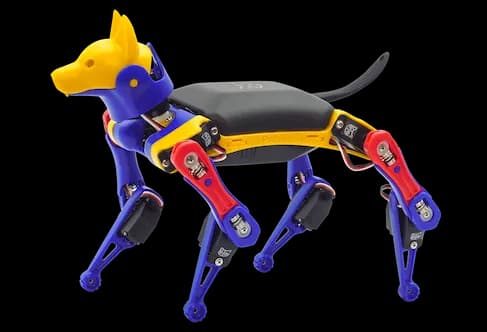
The Petoi Bittle X is a palm-sized, open-source robot dog designed for both educational and entertainment purposes. It offers voice control capabilities, responding to over 35 commands with lifelike movements such as sitting, push-ups, and backflips. Users can program custom behaviors using block-based coding, Python, or C++, making it suitable for ages 10 and up, including K-12 schools, colleges, and robotics camps. The assembly process takes approximately 60 minutes, providing a hands-on introduction to robotics. Equipped with an ESP32 microcontroller, Bittle X supports AI and IoT integration through optional cameras and sensors, enabling advanced robotics development. Its open-source nature allows customization via the OpenCat framework, appealing to both beginners and advanced users. Additionally, it integrates seamlessly with Neurorobotics Studio, providing a powerful platform for developing and testing neural circuits to control the robot's movements and behaviors. With about an hour of playtime, it can be controlled via remote, mobile app, or voice commands, fostering interactive play, team coding, and social-emotional growth.
Specifications
- Manufacturer
- Petoi
- Type
- Quadrupeds
- Environment
- Physical hardware
- Category
- STEM Robots
- Controller
- Bittle bluetooth
Getting started
How do I start?
del (fn + del for mac) would deselect all
selected boxes.For circuit design, you can use connectivity rule and quick connect. connectivity rule like a rule,
while quick connect is like a connectivity. Using connectivity rule, you can design a circuit and confirm
the information is sent from one cortical area to another. This can be automation as well.
Certain cortical areas handle specific actions.Which cortical areas are involved?
Petoi use the Servo, Miscellaneous, Servo Control cortical areas.
Table of capabilities and cortical
| Cozmo Action | Cortical control | Brief description |
|---|---|---|
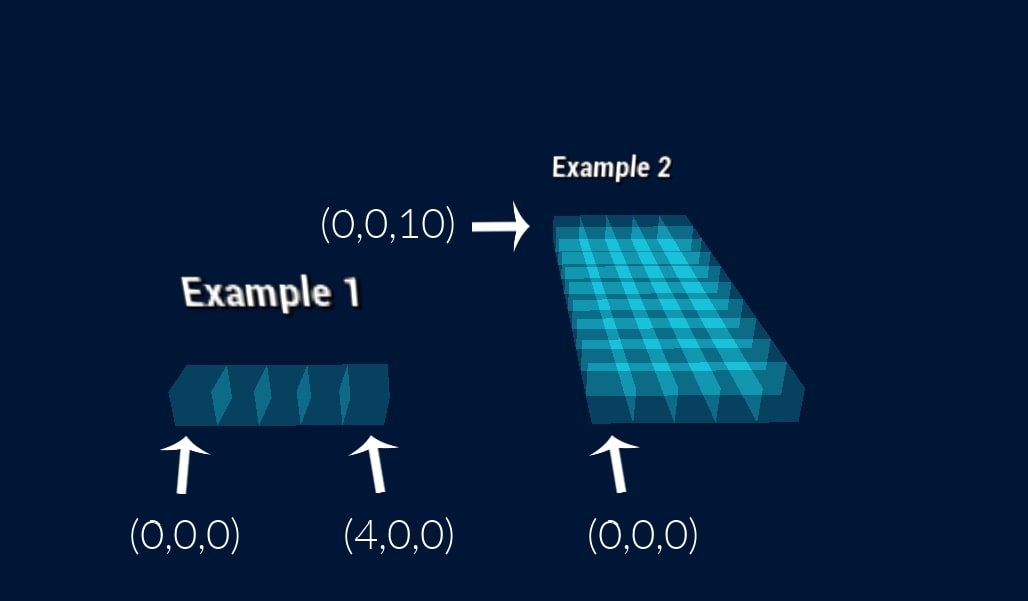
| Head | Servo Control | (0,0,0) and (1,0,0) will move or tilt this head. |
| Arm # 1 | Servo Control | (2,0,0) and (3,0,0) will lift or lower this arm. |
| Arm # 2 | Servo Control | (4,0,0) and (5,0,0) will lift or lower this arm. |
| Arm # 3 | Servo Control | (6,0,0) and (7,0,0) will lift or lower this arm. |
| Arm # 4 | Servo Control | (8,0,0) and (9,0,0) will lift or lower this arm. |
| Hand # 1 | Servo Control | (10,0,0) and (11,0,0) will move or rotate this hand. |
| Hand # 2 | Servo Control | (12,0,0) and (13,0,0) will move or rotate this hand. |
| Hand # 3 | Servo Control | (14,0,0) and (15,0,0) will move or rotate this hand. |
| Hand # 4 | Servo Control | (16,0,0) and (17,0,0) will move or rotate this hand. |
| disable balance | Misc | (0,0,0) once to disable the balance |
Quick reference
Connecting to FEAGI
To use Petoi:
Petoi or Bittle. Each Petoi has its own unique name.Important information
Petoi requires bluetooth connectivity which is only supported by Chrome browser at this time.
View marketplace for this embodiment · Back to embodiment explorer