NeuroMaker Hand 2.0
by BrainCo
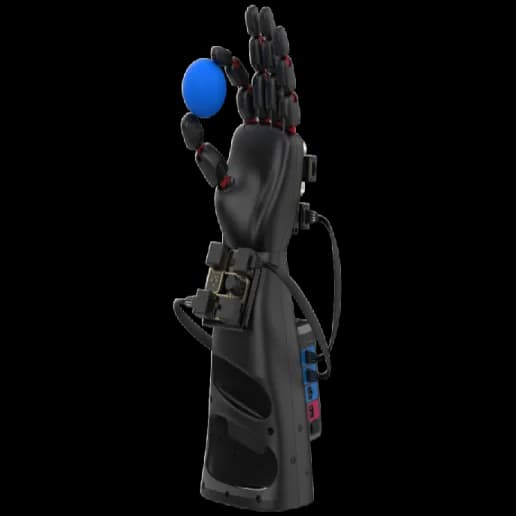
Experience the revolutionary potential of the NeuroMaker HAND 2.0, now supercharged with Neurorobotics Studio integration. This advanced educational prosthetic transcends traditional boundaries, allowing users to control it using neural circuits and hand gestures through a webcam. Students and educators alike can build custom circuits, share them with a thriving community, and explore innovations crafted by others. With seamless compatibility for integrating the HAND 2.0 with countless devices via the Neurorobotics Studio interface, this is more than a learning tool—it’s a gateway to limitless creativity and collaboration. Crafted by seasoned prosthetic hand and knee engineers, the NeuroMaker HAND 2.0 offers hands-on learning in coding, engineering, and problem-solving through real-world applications. Its integration with Neurorobotics Studio elevates its educational impact, empowering users to design groundbreaking solutions that bridge classroom learning with real-world innovation. Together, the HAND 2.0 and Neurorobotics Studio inspire the next generation of changemakers to envision a more inclusive future.
Specifications
- Manufacturer
- BrainCo
- Environment
- Physical hardware
- Category
- STEM Robots
Getting started
Goal:
This robot allows you to design various circuits for it to perform tasks. The robot will display all outputs, and everything will be shown in the brain visualizer. With Feagi, there are many different circuits to make the hand perform various tasks. Your goal is to make it do something.
Which cortical areas are involved?
The hand use the Servo control areas.
Table of capabilities and cortical
| NeuroMaker Hand Action | Cortical control | Brief description |
|---|---|---|
| Arms | Servo Control | Increment or decrement the position of the finger (5 servos). |
| Arms | Servo Position | Encoder position from servo ranges from 0 to 100. |
Connecting to FEAGI
GET STARTED
git clone https://github.com/feagi/controller.gitcd embodiments/NeuromakerStempython3 -m venv venvsource venv/bin/activate- Find the type of USB NeuroMaker hand uses.
pip3 install -r requirements.txt
python3 controller.py --api_key ""
pip install -r requirements.txt
python controller.py --api_key ""  # Replace the bracket.
View marketplace for this embodiment · Back to embodiment explorer